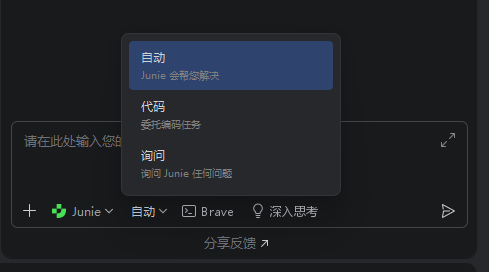
软件版本
- Windows 11 25H2
- Ubuntu 24.04.2
- iFlow CLI 0.5.5
- Rider 253.29346.144
- JetBrains AI Assistant 253.29346.420
操作步骤
-
全局安装 iFlow CLI
npm i -g @iflow-ai/iflow-cli@latest -
获取安装位置
macos 用户可以参考 linux,手上没有 mac 设备实验,实在抱歉
# powershell # windows 用户一定要用 iflow.cmd 而非 iflow.ps1 否则显示不支持 Get-Command iflow.cmd # linux which iflow -
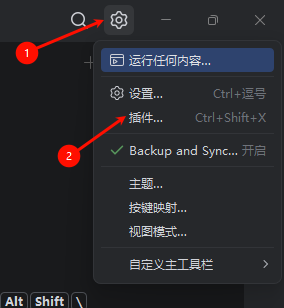
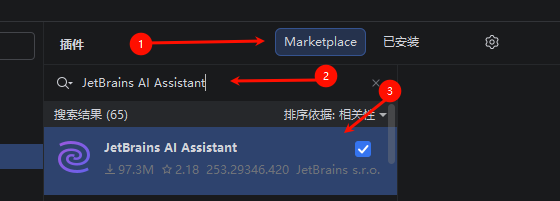
安装 JetBrains AI Assistant 插件
-
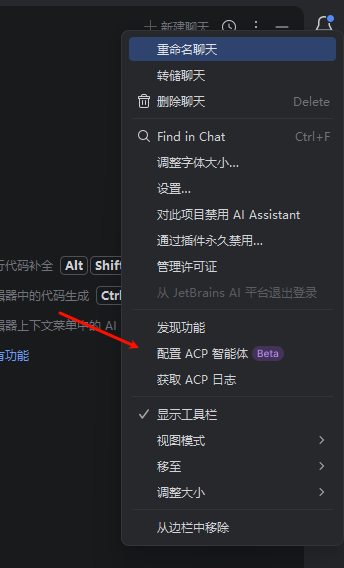
输入配置
{
  "agent_servers": {
    "iFlow Agent": {
      "command": "<第二步获取的iflow路径>",
      "args": [
        "--experimental-acp",
        "-y",
        "--model",
        "<模型ID>"
      ]
    }
  }
}
参考文献
以上帖子中的方法对于我不生效,可能是因为我使用 nvm 安装 nodejs 导致,有些路径不一样,因此重新探索出这一套配置方法
优化配置
经过进一步测试发现全局安装 iflow 可以简化成以下配置
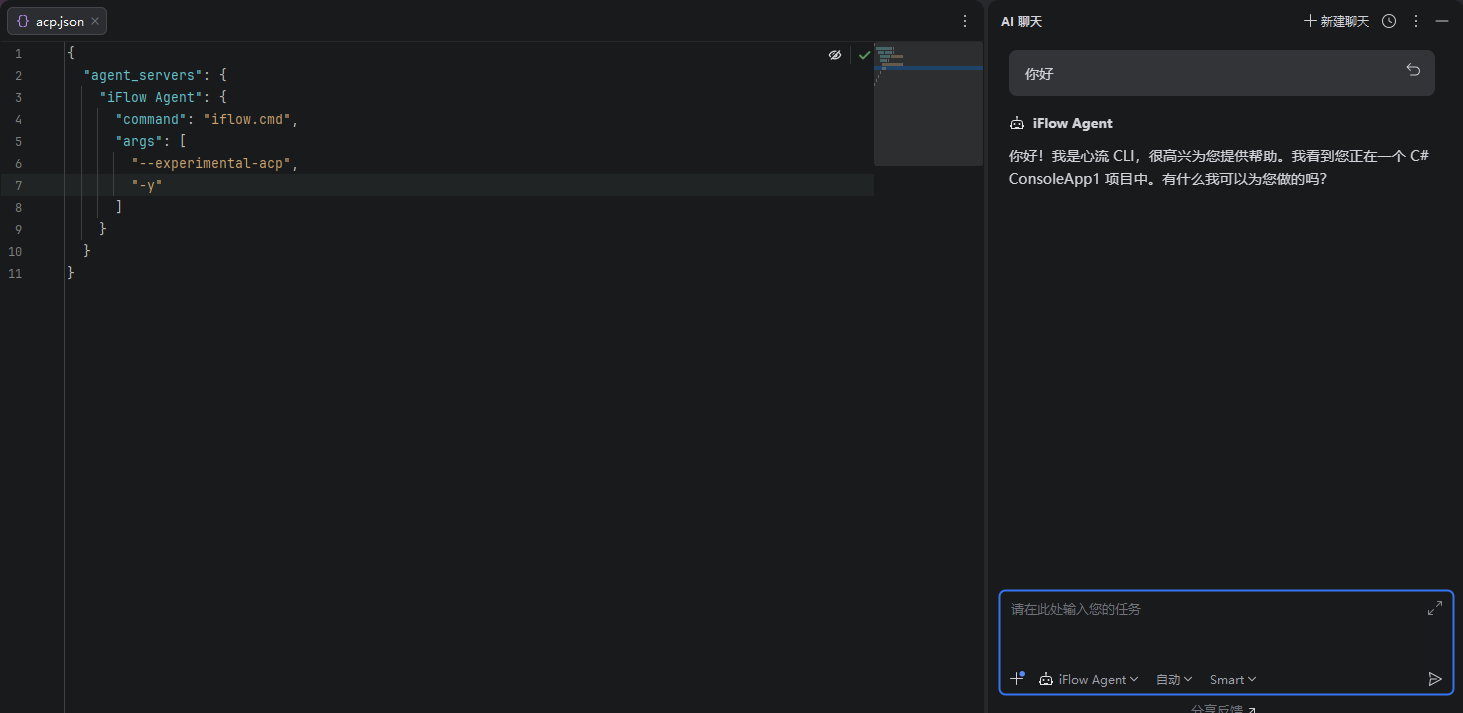
{
  "agent_servers": {
    "iFlow Agent": {
      "command": "iflow.cmd",
      "args": [
        "--experimental-acp",
        "-y"
      ]
    }
  }
}