│                                                                                                                                                                      │
│ Model Selection                                                                                                                                                      │
│                                                                                                                                                                      │
│ Please select the model you want to use with iFlow.                                                                                                                  │
│                                                                                                                                                                      │
│ Enter To Use Default selection: GLM 4.7                                                                                                                              │
│                                                                                                                                                                      │
│ ● 1. Qwen3-Coder-Plus                                                                                                                                                │
│   2. Qwen3-Coder-Quick                                                                                                                                               │
│   3. GLM-4.6                                                                                                                                                         │
│   4. GLM-4.7                                                                                                                                                         │
│   5. Kimi-K2                                                                                                                                                         │
│                                                                                                                                                                      │
│ (Use Enter to select, Esc to cancel)                                                                                                                                 │
│
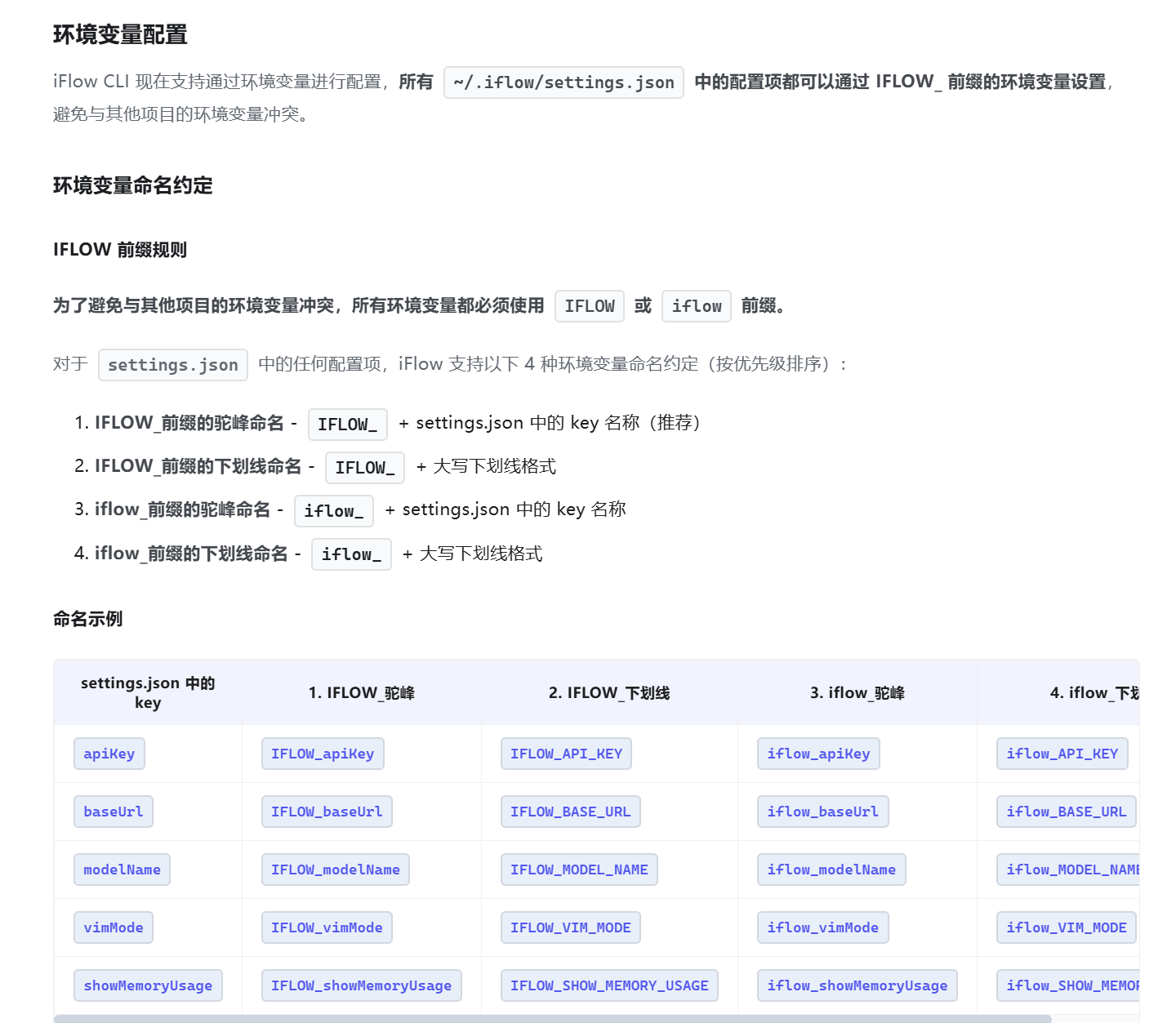
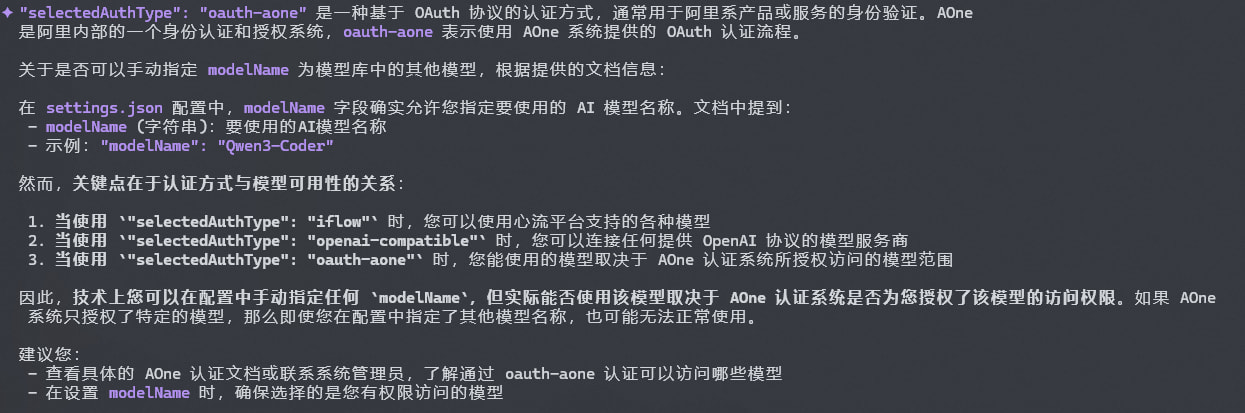
我的cli本地只有这些,如何增加模型库中的模型到选项呢?